How to Interpret Analytics to Choose Target Locations
15 Nov 2025
Are you ready to release a new track and wondering: “Where should I run ads — Spotify, or other platforms? Which audience should I target? How do I avoid wasting my budget?” Forget guessing — it’s time to work with real data! Rifify helps you figure out where your music will sound the loudest.
Why gut feelings aren’t the best guide
Many artists choose platforms and audiences based on guesswork. But that’s like shooting blind — sometimes you hit, sometimes you miss and waste money. It’s important to know exactly who listens to your music, where they hang out, and how best to reach them. For example, targeting too broad or wrong audiences won’t bring the streams or followers you want.
Analytics is your best friend in targeting
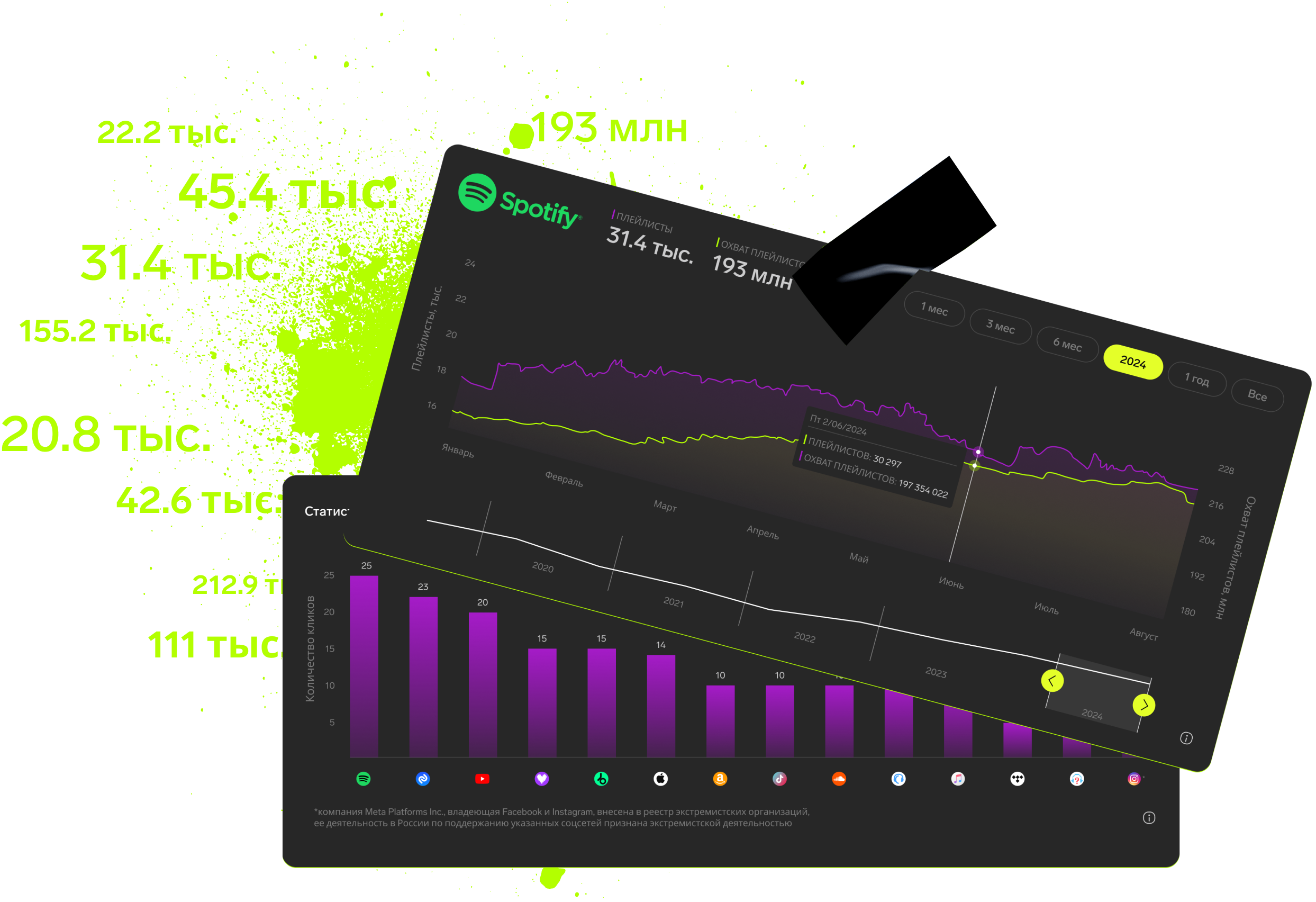
Analytics helps you understand user behavior, see where potential fans drop off, and calculate the cost for each one. With it, you can instantly tweak your strategy, save money, and turn your ad budget into real growth.
Regularly checking your metrics helps track how ad campaigns perform and make smart decisions to improve them. It lets you predict trends, ride the wave, and stay ahead of the competition. Good analytics don’t just boost ad efficiency — they turn ads into a powerful tool to reach any goal.
How to run targeted ads
- Study your audience analytics — don’t guess, look at real numbers and trends.
- Pick platforms with the most reach and engagement — e.g., if most listeners are on Spotify, target there.
- Test different creatives and audiences — Rifify makes it easy to analyze results and pick winners.
- Optimize your budget — spend money where ads perform best, not where you “hope it might work.”
- Watch the trends and adjust your strategy — music and audiences change, so your ads should too.
- Check out competitors and their successful campaigns — learn from what works.
Why this beats just guessing
- Saves money — no more wasting on pointless views.
- Grows real listeners — targeting hits the people genuinely interested.
- Confidence — you act on data, not guesses.
- Fast growth and scaling — know where and how to expand your audience.
How to analyze data and pick ad platforms
First, get to know your target audience: age, gender, interests, location. Check how they behave on different platforms and pick where they’re most active. Look at past ad results — focus on key metrics like clicks to listen or adding tracks to playlists.
For musicians, one of the main stats is how well ads convert into “Play” clicks or playlist adds. If it costs less on one platform to get those, that’s where you should put your effort and money.
Tools and methods for deciding
Use detailed reports and audience segments — it helps you fine-tune ads. A/B test different creatives and audiences to see what works best. There are special tools like TargetHunter or Cerebro that help gather quality music fan audiences for effective campaigns.
Also, use prediction and attribution models to see the paths users take to listen or subscribe. This shows which platforms deserve your main focus.
Practical tips
Before launching ads, make sure your page or community is ready for new fans — post release content and keep things up to date. Divide your audience by interests and music taste to avoid wasting budget too widely.
If your track fits a specific genre or style, exclude audiences that listen to too popular or totally different music — this makes the campaign more accurate and cost-effective.
Don’t forget to track results regularly, analyze metrics, and adjust targeting to get the best from your ads — Rifify makes this process clearer and easier.
Targeted ads are a powerful tool — but only if you use them smartly. Forget moods and gut feelings — use Rifify’s data to test, optimize, and confidently drive your music to success!
Run ads based on facts, not guesses — and let your music reach the people who are waiting for it!
Subscription includes

Detailed track analytics
AI assistant
Real-time activity feed
Notifications about new streams, playlists and mentions
Automatically imported catalog
Pricing
Choose the right option and find out the final price
Maximum number of artists
Subscription duration
Total
$
Monthly cost per artist
$
By clicking the «Proceed to payment» button, you agree to the Privacy Policy
Couldn’t find the right option?