How to Estimate a Track’s Lifespan Using Streaming Data
23 Sep 2026
A track’s “lifespan” isn’t a calendar date. It’s the period during which it consistently gains streams and attracts new listeners. You determine it by looking at how daily/weekly streams change over time and where those streams come from: recommendations, playlists, search, profile, library, or external links.
Below is a simple framework: which numbers to track, how to build a “life curve” for a track, where to spot turning points, and how to use this for content, ads, and release support.
What “Track Lifespan” Means in Practice
In practice, a track’s lifespan is the time from release until daily streams drop to the artist’s “baseline” level (typical catalog performance) or become too low to justify further promotion.
During this period, the track usually:
- Gets streams from algorithmic recommendations and auto‑generated playlists
- Has a strong completion rate and is often saved by listeners
- Brings not only repeat plays from fans but also new listeners
Data You Need for the Analysis
For each track, keep a simple table by day or week with:
- Total streams and unique listeners
- Traffic sources: playlists, recommendations, search, profile, library, external links
- Number of saves (added to library/playlist)
- Completion rate (share of listeners who play the track to the end)
- If possible: top cities/countries (to see where the track lives longer)
If you work across multiple platforms (Spotify, Apple Music, etc.), merge them into one table with the same columns so you can compare track behavior.
How to Build a Track’s Life Curve
- 1.Collect daily (or weekly) stream counts from the release date onward.
- 2.For each day, divide that day’s streams by the track’s peak‑day streams. This gives you a simple index from 0 to 1+ (1 = peak day).
- 3.Plot the curve:
- 4.
- X‑axis: days since release
- Y‑axis: stream index (streams on day N / peak‑day streams)
You’ll typically see: a fast start, a drop, possibly a second lift, then a plateau.
Three Key Phases of a Track’s Life
Split the curve into three windows that give clear signals about what’s happening.
0–48 Hours: First Impulse
Check:
- Total streams in the first two days
- Share of streams coming from recommendations/radio
If more than half of early streams already come from recommendations, that’s a good sign for a long lifespan.orionpromotion+1
7 Days: First Results
Compare the first week to the artist’s previous releases.
- If the share of recommendations and playlist streams grows by the end of week one, algorithms are picking up the track.chartlex+1
14–21 Days: Plateau or Second Lift
By this point you can see whether the track has reached a stable stream level or is already fading.
Also mark:
- Peak day (maximum streams)
- The day streams fall to 50% of the peak
- The day after which weekly average streams stay almost flat for two weeks
Simple Metrics That Predict a Long Lifespan
Use these as rules of thumb; adjust thresholds to your own catalog.
- Save rate ≥ 8% (listeners who add the track to library/playlist)
Strong signal the track “sticks” with the audience.chartlex+2 - Completion rate ≥ 60% (listeners who play to the end)
Algorithms see this as a quality signal.boost-collective+2 - Early skip rate ≤ 30% in the first 30 seconds
Low early drop‑off.boost-collective+2 - Growing share of recommendation/autoplay streams by week two
Sign of extended algorithmic life.orionpromotion+1 - Stable or growing “unique listeners / streams” ratio
Means new people are discovering the track, not just fans looping it. - By day 10–14:
If streams have fallen to 5–10% of the peak, recommendation share isn’t growing, and there are almost no new listeners, the track likely has a short lifespan.
A Simple Formula to Estimate “Remaining Lifespan”
You can calculate an Expected Lifespan Index (ELI) for any track on any date:
ELI=w1⋅Peak‑day streams/Streams in last 7 days+w2⋅Save rate+w3⋅Completion rate+w4⋅Recommendation share
Where:
- Streams in last 7 days = total streams over the past week
- Peak‑day streams = maximum daily streams ever for this track
- Save rate = % of listeners who saved the track in the last 7–14 days
- Completion rate = % who listened to the end
- Recommendation share = % of streams from recommendations/auto‑playlists
- w1..w4w_1..w_4w1..w4 = weights you tune on your own data (for example: 0.3, 0.25, 0.25, 0.2)
Interpretation:
- ELI ≥ 0.6 – “Extended life” zone: worth investing in content, playlist pitching, remixes.
- 0.35–0.6 – “Average life”: maintain basic activity.
- < 0.35 – “Short life”: focus on new releases; use this track as catalog support.
Turning Lifespan Insights Into Actions
Adjust your strategy by phase and ELI:
- Days 0–7, high ELI:
Push the track to playlists, create short‑form videos around key moments, test ads in cities where it performs best.orionpromotion+1 - Days 14–21, stable level:
Give it a “second wind”: acoustic version, live take, remix, feature, new visual; refresh snippets and cover art on socials. - After 30 days, low ELI:
Move the track to “background rotation”: include it in thematic playlists, use it in interviews, digests, and educational content.
For artists with multiple releases, compare life curves across tracks to see which sound, artwork, length, and format drive longer lifespans in your niche.
How to Spot Tracks With a “Long Life”
Long‑life tracks stay in the artist’s top songs for months and keep gaining streams without constant promotion.
Signs:
- After day 21, streams don’t drop to 5–10% of the peak but hold at a steady level
- A noticeable share of streams comes from catalog and auto‑generated playlists
- Occasional new lifts appear due to external events (short‑video trends, playlist adds, media mentions)smartlinksapp+1
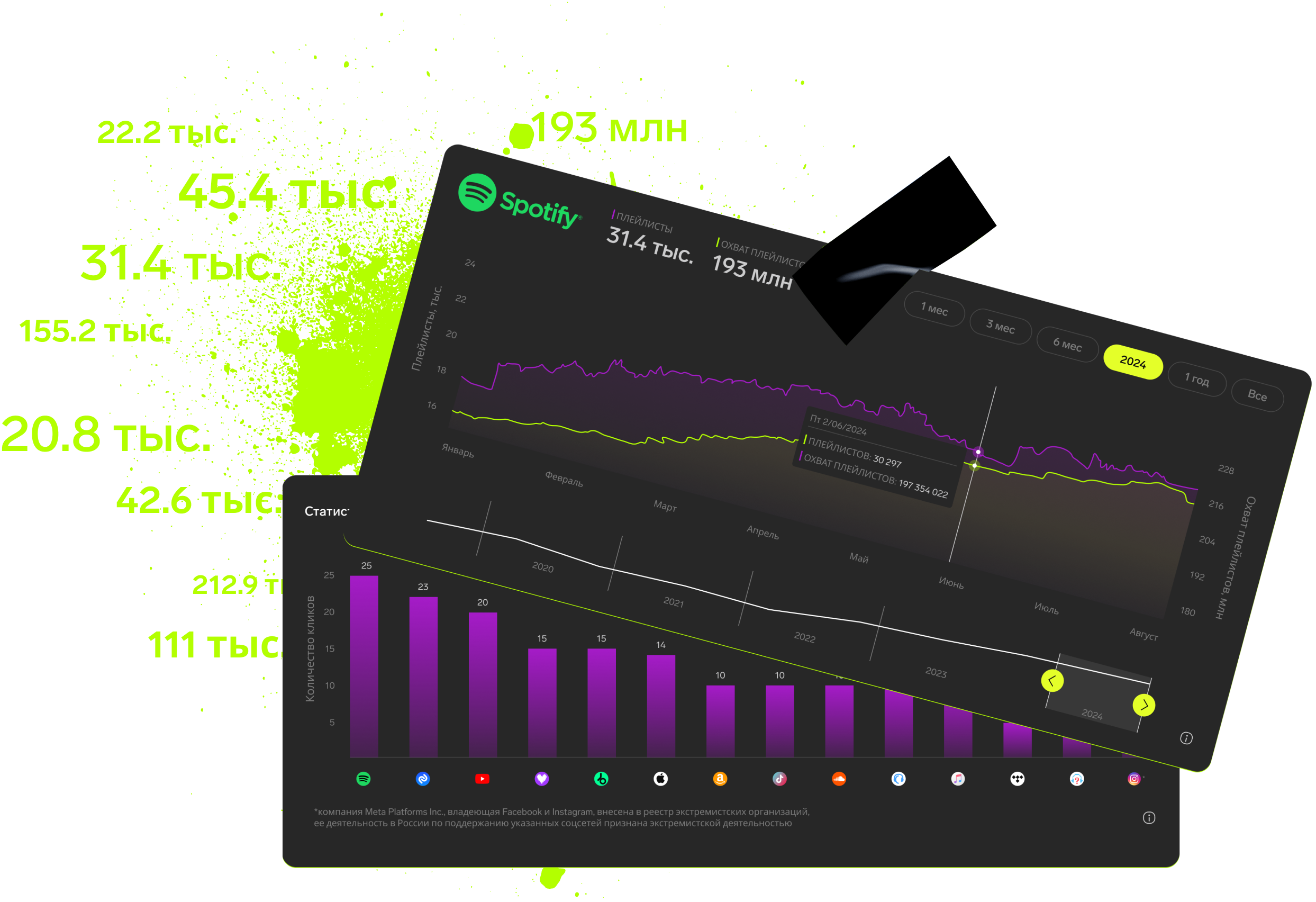
Tools like Rifify can help you collect and analyze streaming data, track release dynamics, and identify songs that keep attracting listeners weeks and months after release. Use these as “anchor” tracks in your catalog: build “if you like this” playlists, run retargeting to new audiences, and connect them to new releases via cross‑promotion.
Subscription includes

Detailed track analytics
AI assistant
Real-time activity feed
Notifications about new streams, playlists and mentions
Automatically imported catalog
Pricing
Choose the right option and find out the final price
Maximum number of artists
Subscription duration
Total
$
Monthly cost per artist
$
By clicking the «Proceed to payment» button, you agree to the Privacy Policy
Couldn’t find the right option?